
Automatic reminders
Get your own check-in reminders before anything is escalated.
NinjaAssurance checks in with you on your schedule. If you do not confirm, the app can notify your chosen trusted contacts by SMS. They do not need the app.
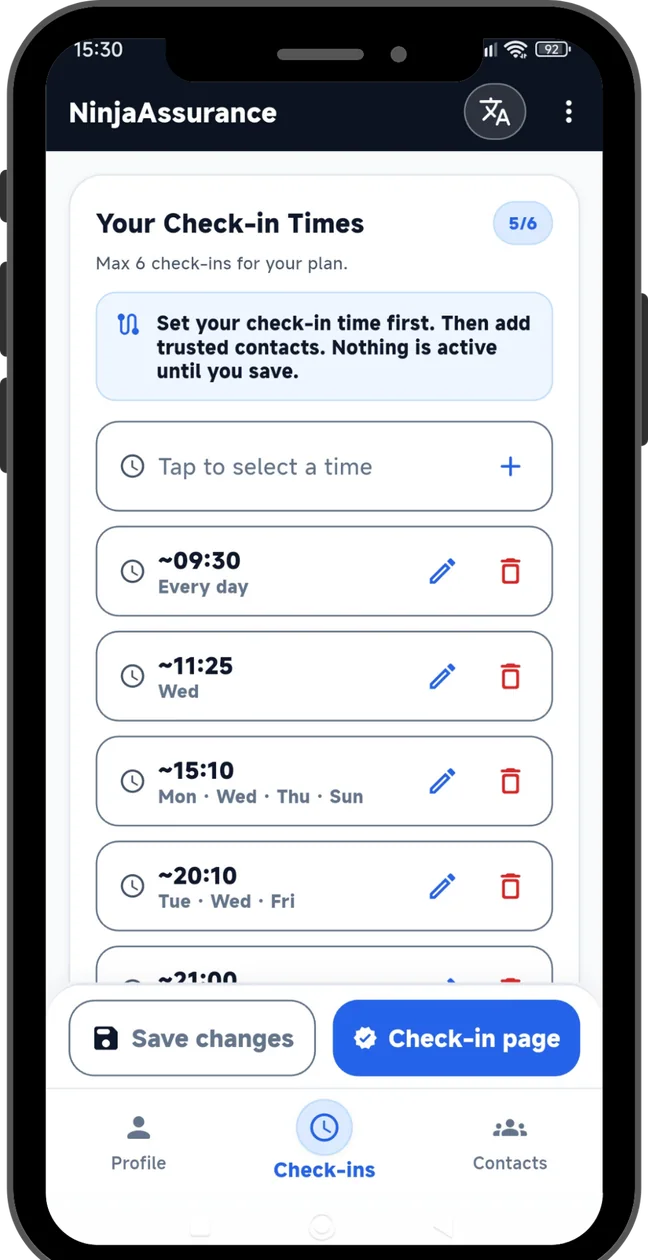
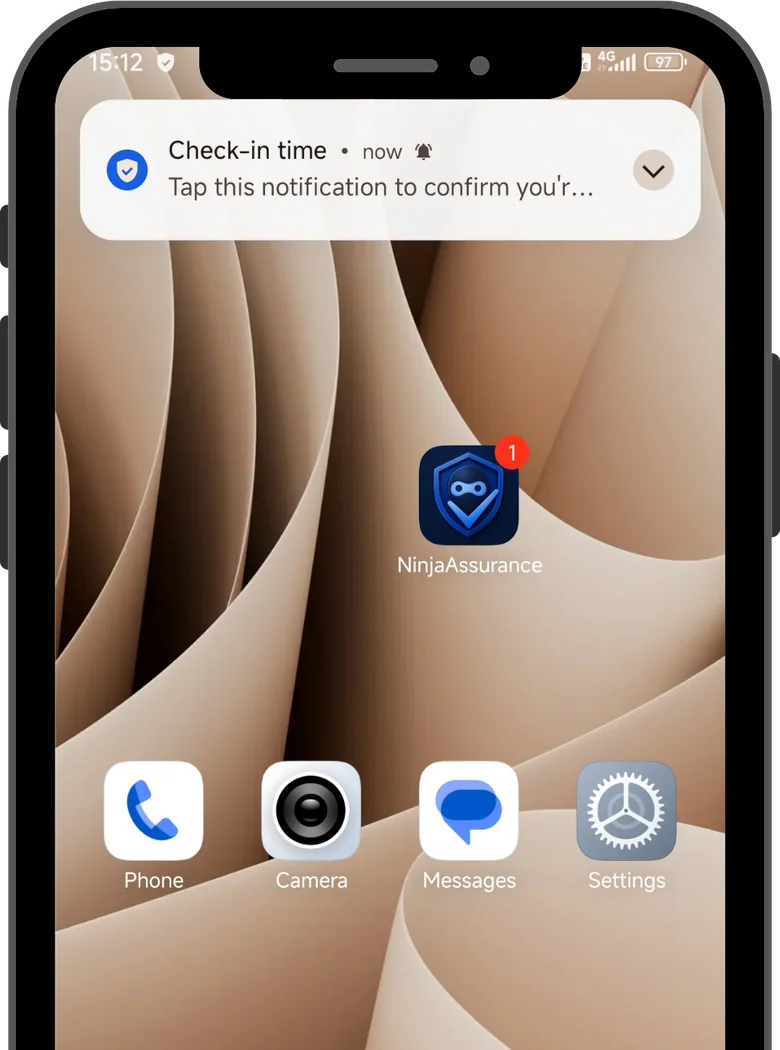
Everything is focused on making safety check-ins easy, clear, and respectful.
Get your own check-in reminders before anything is escalated.
Your chosen contacts can receive alerts by text message and do not need the app.
The app, notifications, and SMS follow the selected language where supported.
Choose Basic or Premium once. No recurring monthly fee.
A missed check-in should feel calm, predictable, and understandable.
The app, notifications, and contact SMS follow the user-selected language where supported.
Choose the times and reminder interval that fit your routine.
Contacts must consent to receive SMS alerts. They do not need the app.
If you miss reminders and do not confirm, NinjaAssurance can notify your chosen contacts by SMS.
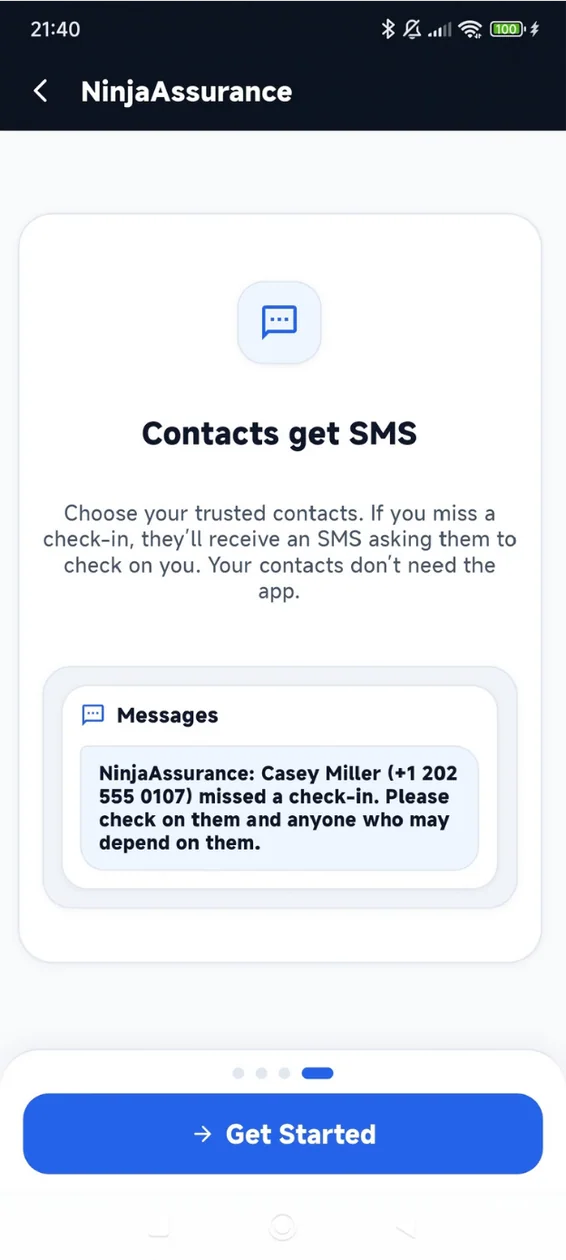
Choose trusted people in advance. When a scheduled check-in is missed and reminders go unanswered, NinjaAssurance can send an SMS where delivery is supported. Your contacts decide how to respond.
NinjaAssurance is not an emergency service. Notifications and SMS rely on device and network availability.
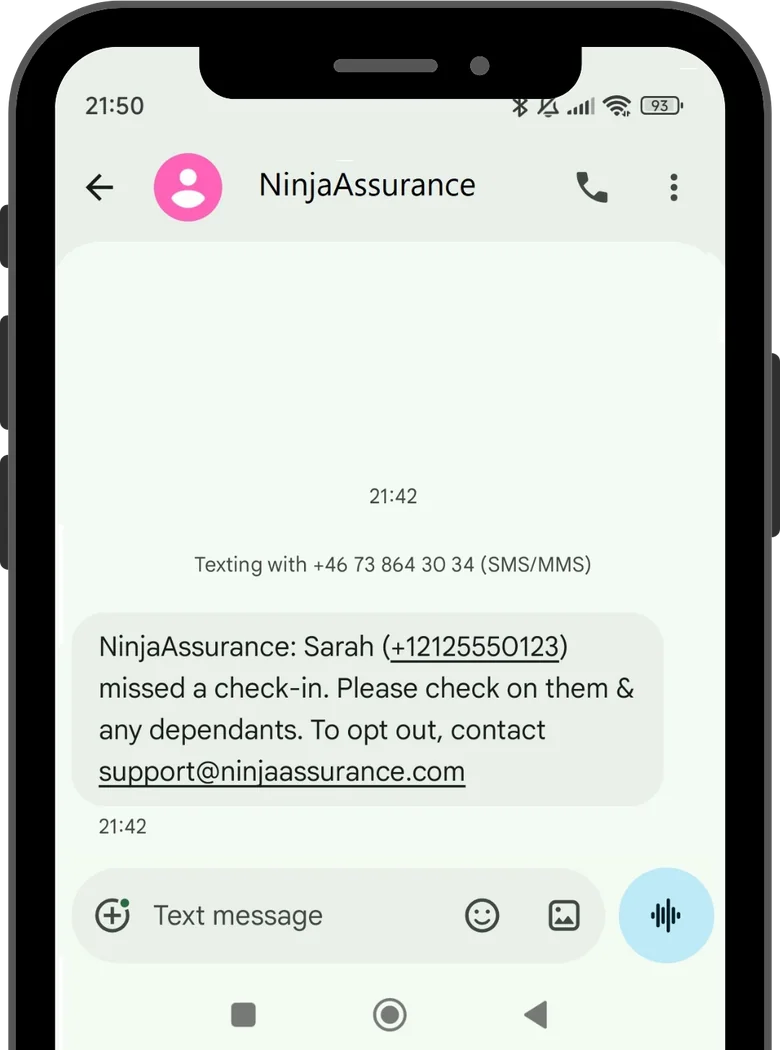
Preview the key steps: set check-in times, confirm reminders, add trusted contacts, and see how SMS alerts work.
Choose times that fit your routine.
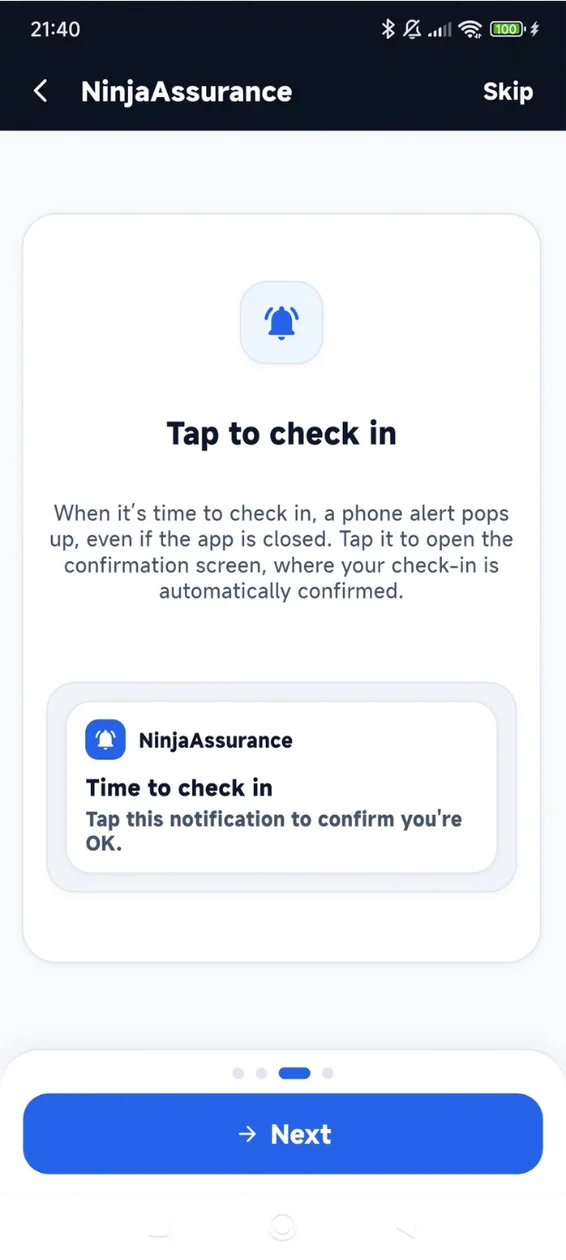
See the check-in notification and know when to respond.
Trusted contacts receive an SMS without installing the app.
Start with a few common questions, or open the complete resource library for 36 detailed guides.
Short answers to the most important things to know before using the app.
No. NinjaAssurance is a check-in and SMS alert tool only. It does not contact emergency services and must not replace calling local authorities or emergency services.
You receive scheduled reminders first. If you still do not confirm, NinjaAssurance can send SMS alerts to the trusted contacts you added, depending on your settings, plan, network, carrier support, and service availability.
No. Trusted contacts do not need the app. If escalation happens, they can receive a normal SMS where supported.
Contact SMS follows the language selected by the NinjaAssurance user inside the app. It does not automatically change based on the contact’s country code or phone number. If a language is unavailable, a fallback language may be used.